NDT Integrity module

Project Manager

Built for NDT companies that need to manage customers, quotes, projects, technicians, qualifications, scheduling, field work, billing, and revenue in one connected system.

Track the job from the first estimate through field assignment, billing ticket, invoice, and final project status without relying on disconnected spreadsheets and manual handoffs.

Request a Demo
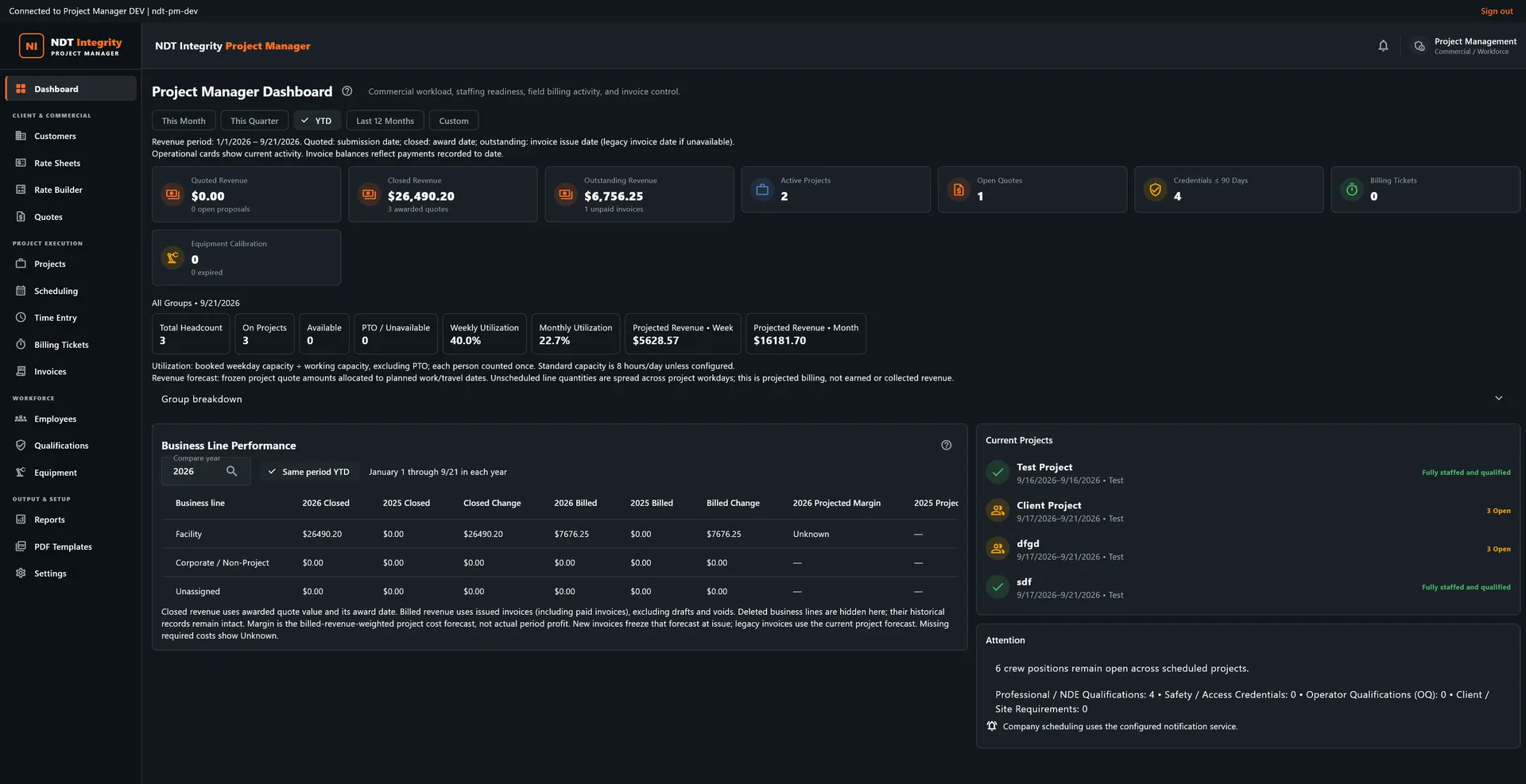
Project Manager Dashboard showing revenue and utilisation stat cards, the Business Line Performance table, current projects, and open staffing positions
Project Manager / commercial operations dashboard

01

Operations Dashboard

See the business, not just the job

Project Manager brings operational and financial activity into one view so managers can see what is scheduled, what is being worked, what is ready to bill, and where revenue is sitting.

This MonthThis QuarterYTDLast 12 MonthsCustom
Active projects
Open quotes
Quoted revenue
Closed revenue
Outstanding revenue
Billing tickets
Technician utilization
Employee headcount
Equipment calibration status
Projected revenue
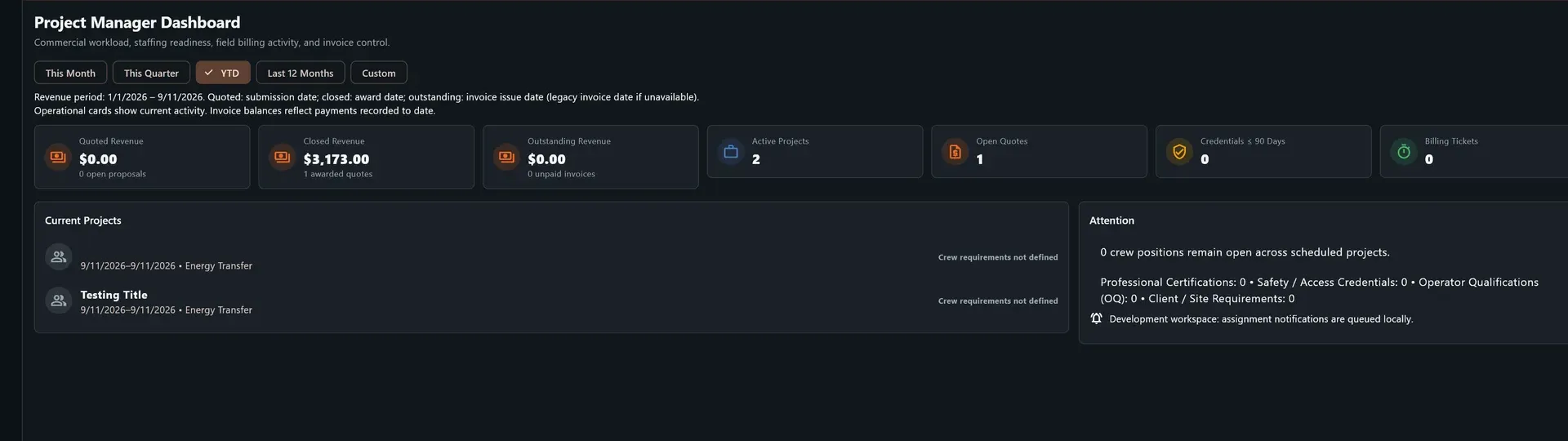
Project Manager operations dashboard showing revenue, open quotes, active projects, billing tickets, current projects, and management attention items

02

Customer to Project

Quote. Approve. Build the job.

  • Customer and contact management
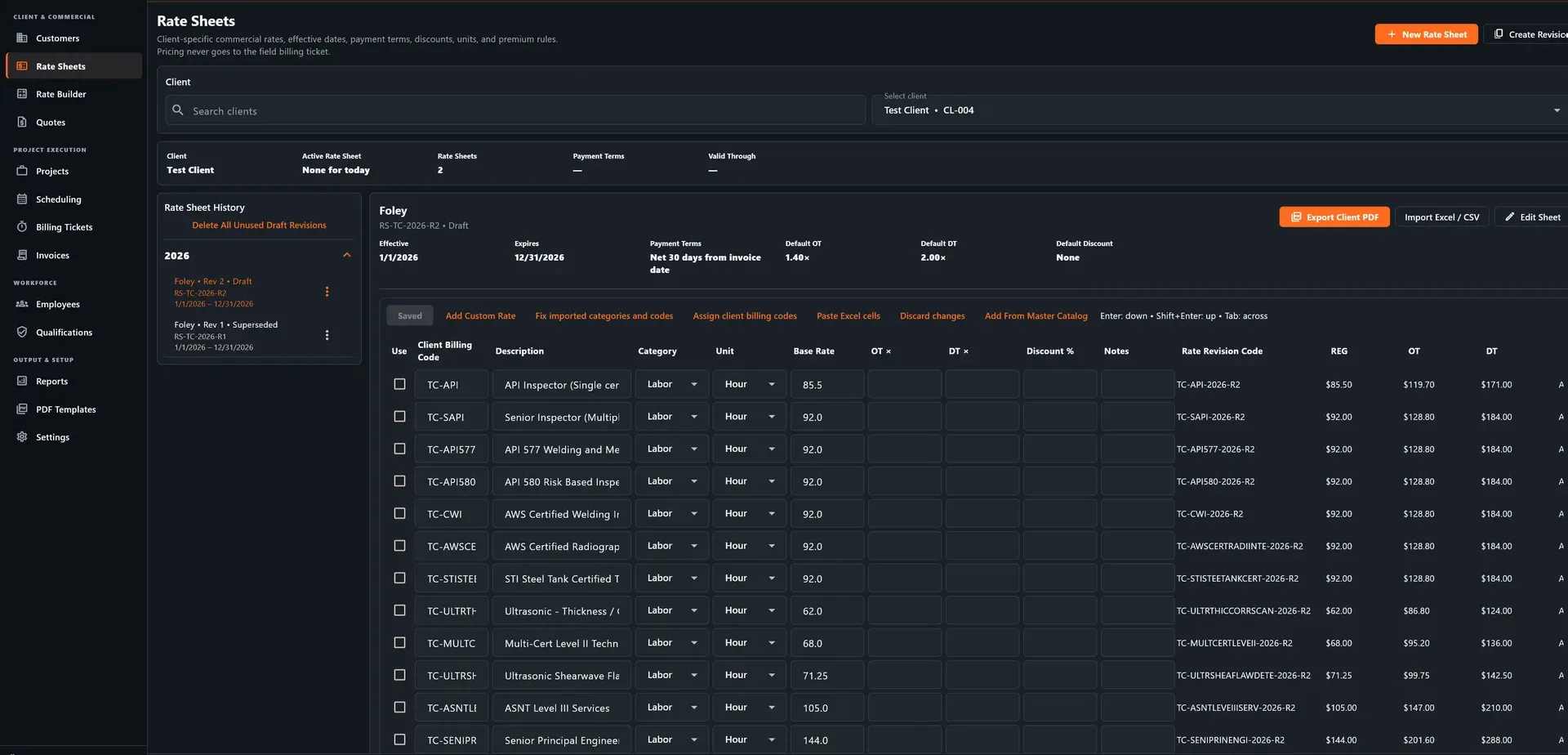
  • Company-specific rate sheets
  • Quote creation and revision
  • Labor, travel, equipment, and service pricing
  • Convert approved work into projects
  • Preserve customer and pricing information
  • Track project status and scope
  • Maintain job-level commercial records

Connected workflow

Customer → Rate Sheet → Quote → Project

Project Manager Rate Sheets and Rate Builder screen showing a client rate sheet with labor codes, categories, rates, and revision history

03

Scheduling & Qualifications

Put the right person on the right job

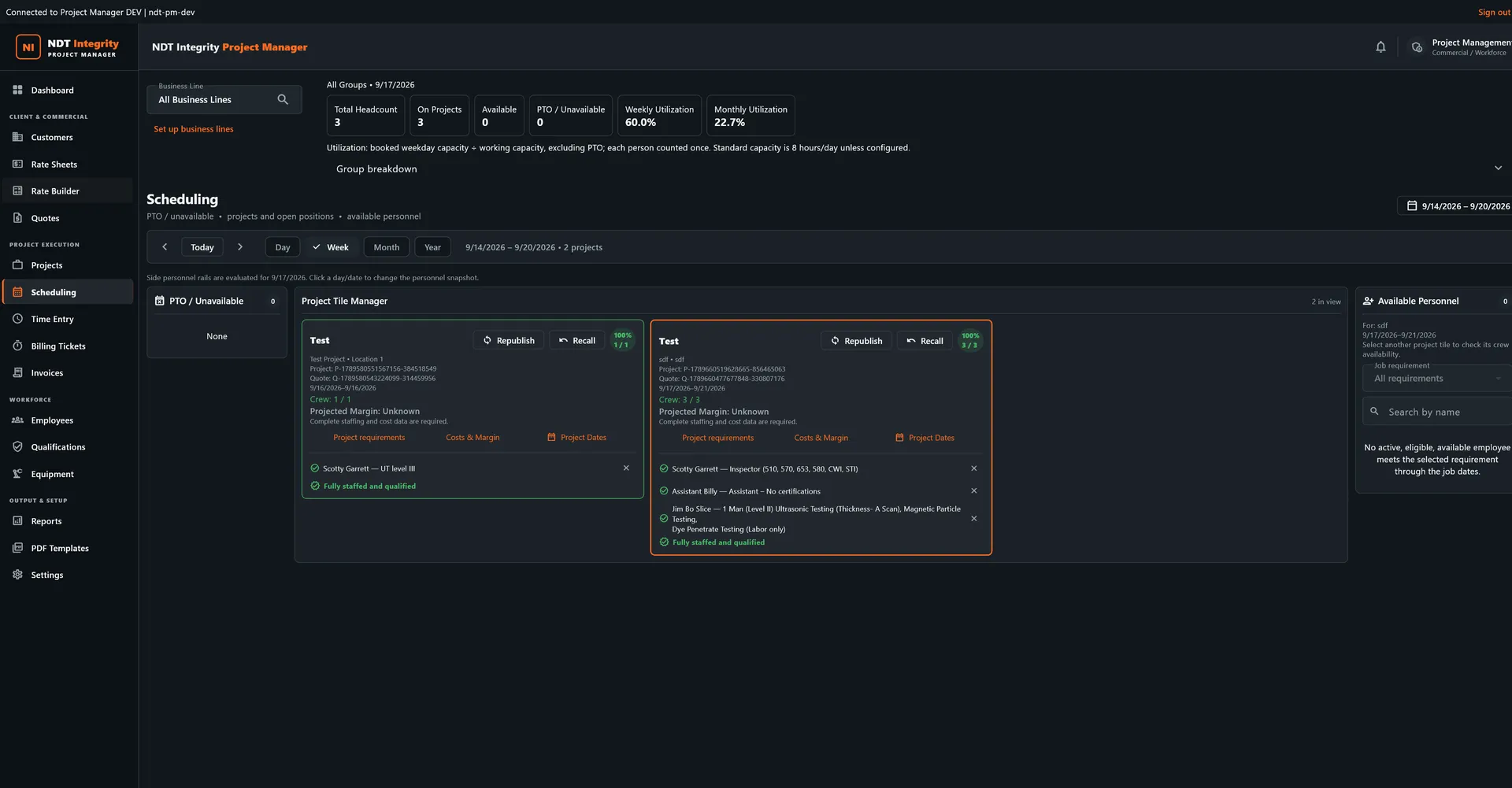
Project Manager helps dispatchers identify personnel who are available and qualified for the work before they are assigned.

  • Date-range project scheduling
  • Technician availability
  • Qualification and certification tracking
  • Eligibility filtering
  • Project staffing requirements
  • Drag-and-drop assignments
  • PTO / unavailable status
  • Qualification-through-job-end checks
  • Utilization visibility
Project Manager Scheduling screen showing date controls, unavailable personnel, and projects with staffing requirements

04

Field Assignments

Office-to-field workflow

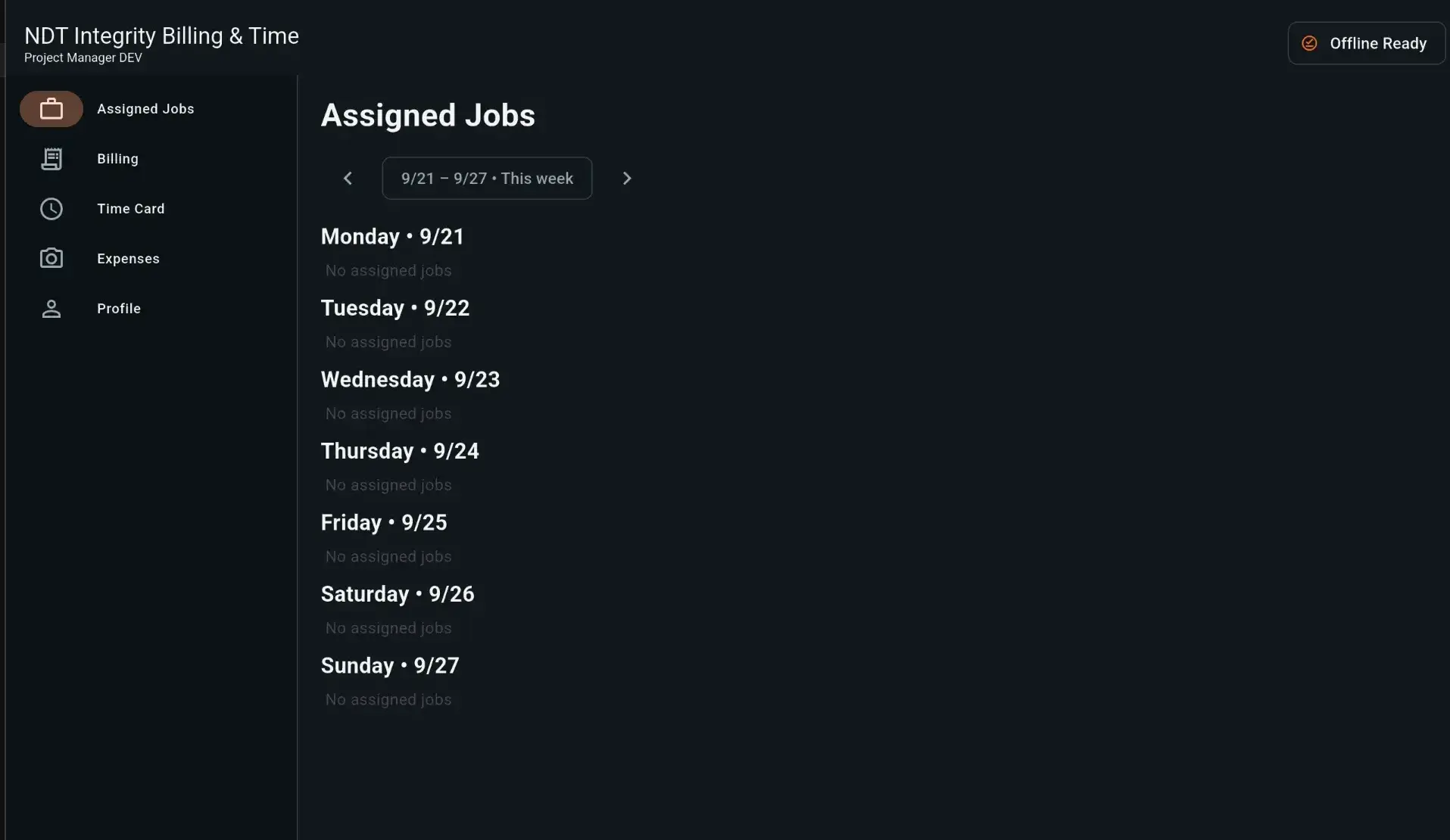
Assign work from the office and send technicians the project information they need in the field. Assigned work can be surfaced on Android without exposing customer pricing or billing information.

  • Project assignments
  • Scheduled work notifications
  • Assigned Work view
  • Field job information
  • Technician-specific access
  • Qualification-aware assignments
  • Office-to-field status updates
NDT Integrity Project Manager Android app showing assigned field jobs

05

Billing Tickets

Capture the work that was actually performed

Field activity flows into a structured billing workflow so completed work can be reviewed before it becomes an invoice.

  • Work-date tracking
  • Billing ticket IDs
  • Labor and service entries
  • Equipment and reimbursable items
  • Business-line filtering
  • Ticket review
  • Submission status
  • Signed ticket workflow
  • Archive and search

06

Invoicing & Revenue

From completed work to invoice

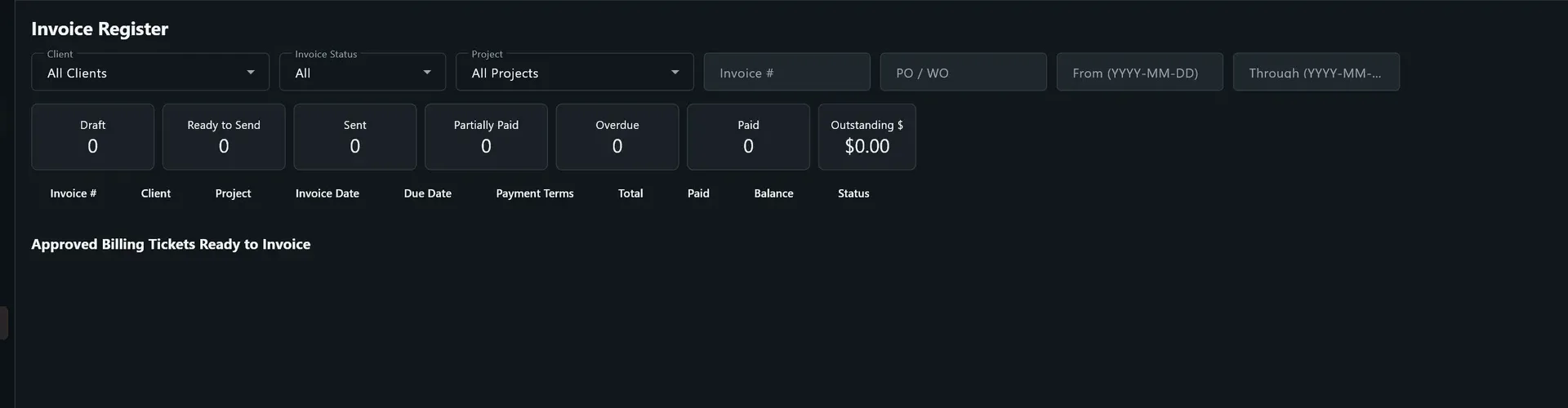
  • Generate invoices from approved billing activity
  • Invoice numbering
  • Customer billing information
  • Invoice status tracking
  • Outstanding revenue visibility
  • Paid / unpaid status
  • Revenue reporting
  • Project-level billing history

Connected workflow

Project → Billing Ticket → Review → Invoice → Revenue

Project Manager Invoice Register showing customer, project, invoice status, payment totals, outstanding balances, and billing tickets ready to invoice

07

Employees & Qualifications

Know who is ready for the work

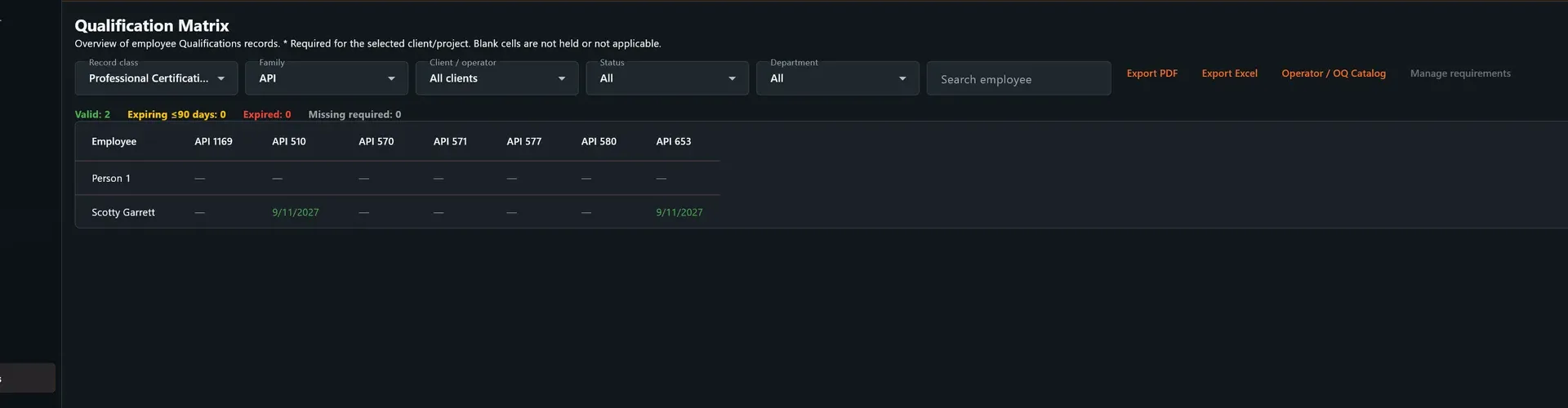
Keep personnel records tied directly to scheduling so expired or insufficient qualifications are visible before the technician is placed on the job.

  • Employee records
  • Qualifications
  • Certifications
  • Expiration dates
  • Position / discipline tracking
  • Availability
  • Assignment history
  • Qualification warnings
Project Manager Qualification Matrix showing employee qualification records, certification filters, expiration status, and API qualification dates

08

Equipment

Track the tools behind the work

  • Equipment records
  • Calibration dates
  • Calibration status
  • Assignment visibility
  • Equipment availability
  • Supporting documentation

Equipment record layer

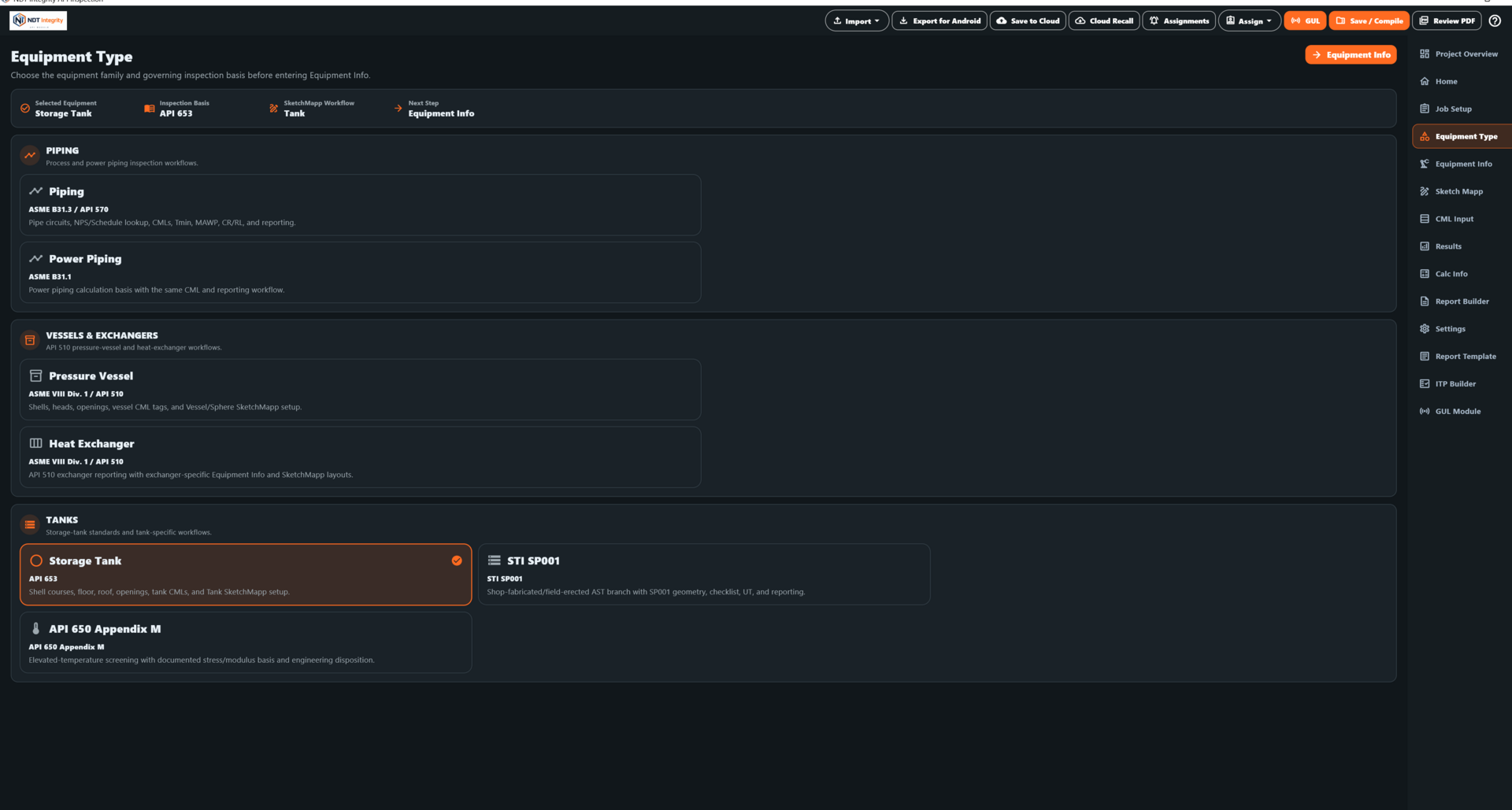
Keep calibration, assignment, availability, and supporting documentation tied to the equipment used behind the inspection work.

NDT Integrity Project Manager equipment setup and inspection basis screen

09

Reporting & Management

Turn operations data into business visibility

Project Manager connects operational records instead of forcing management to assemble the same answers from separate spreadsheets, scheduling boards, billing files, and employee records.

  • Project reporting
  • Revenue reporting
  • Utilization reporting
  • Quote status
  • Billing status
  • Invoice status
  • Employee and qualification reporting
  • Equipment calibration reporting
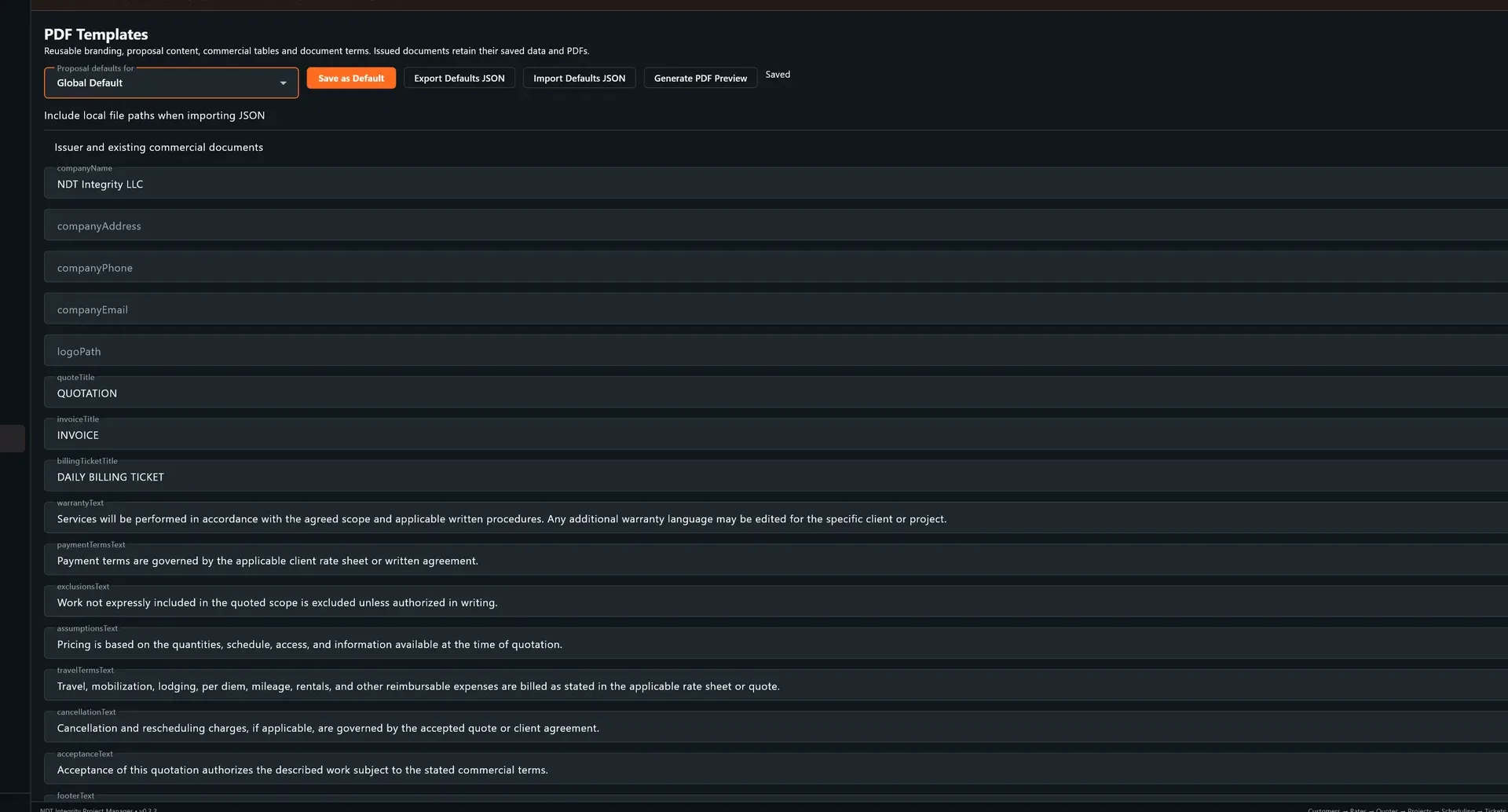
Project Manager PDF Templates screen showing reusable proposal, invoice, billing ticket, and commercial document fields

10

Connected operations

From customer request to cash flow.

  1. Customer
  2. Rate Sheet
  3. Quote
  4. Project
  5. Schedule
  6. Qualified Technician
  7. Field Work
  8. Billing Ticket
  9. Invoice
  10. Revenue

One operational chain, with the project record carrying forward instead of being rebuilt at every handoff.

Built for inspection operations

Manage the work behind the inspection.

Connect customers, pricing, projects, technicians, qualifications, scheduling, field activity, billing, and revenue in one NDT-focused workflow.

Request a Demo