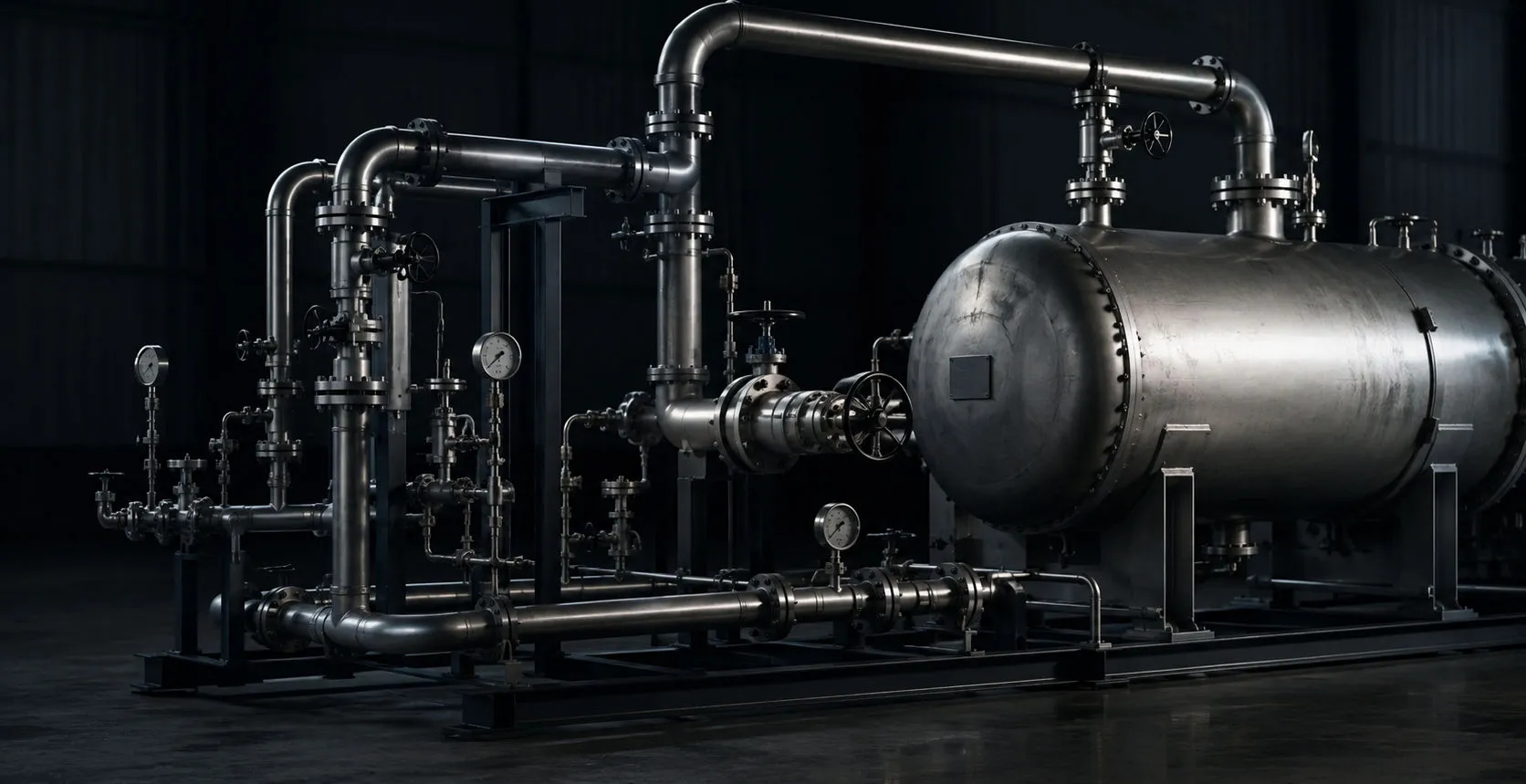
Industrial piping and pressure equipment in a mechanical integrity inspection environment

Mechanical integrity + NDE software

API / NDE Inspection

Inspection and reporting workflows for pressure vessels, piping, storage tanks, heat exchangers, STI, Appendix M, and standalone NDE work.

Manage CMLs, collect field data, perform calculations, build inspection drawings, document findings, and generate final report packages from one connected platform.

Request a Demo

01

Pressure vessels

API 510 pressure vessel inspection

Equipment information, thickness history, calculations, drawings, and findings stay connected in one vessel workflow. Calculations are assisted by structured inspection data and calculated results; engineering disposition stays with the inspector, engineer, or owner-user.

  • Vessel equipment information
  • CML/TML management
  • UT data entry and import
  • Corrosion rate
  • Remaining life
  • Retirement thickness
  • MAWP-related calculations where applicable
  • Nozzle and component documentation
  • Visual findings
  • SketchMapp vessel drawings
  • Photos
  • Recommendations
  • Final report generation
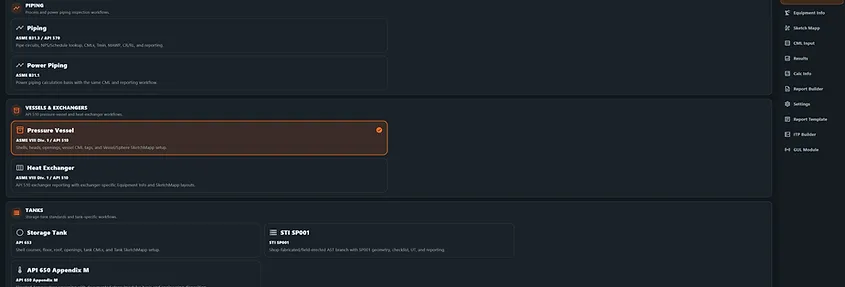
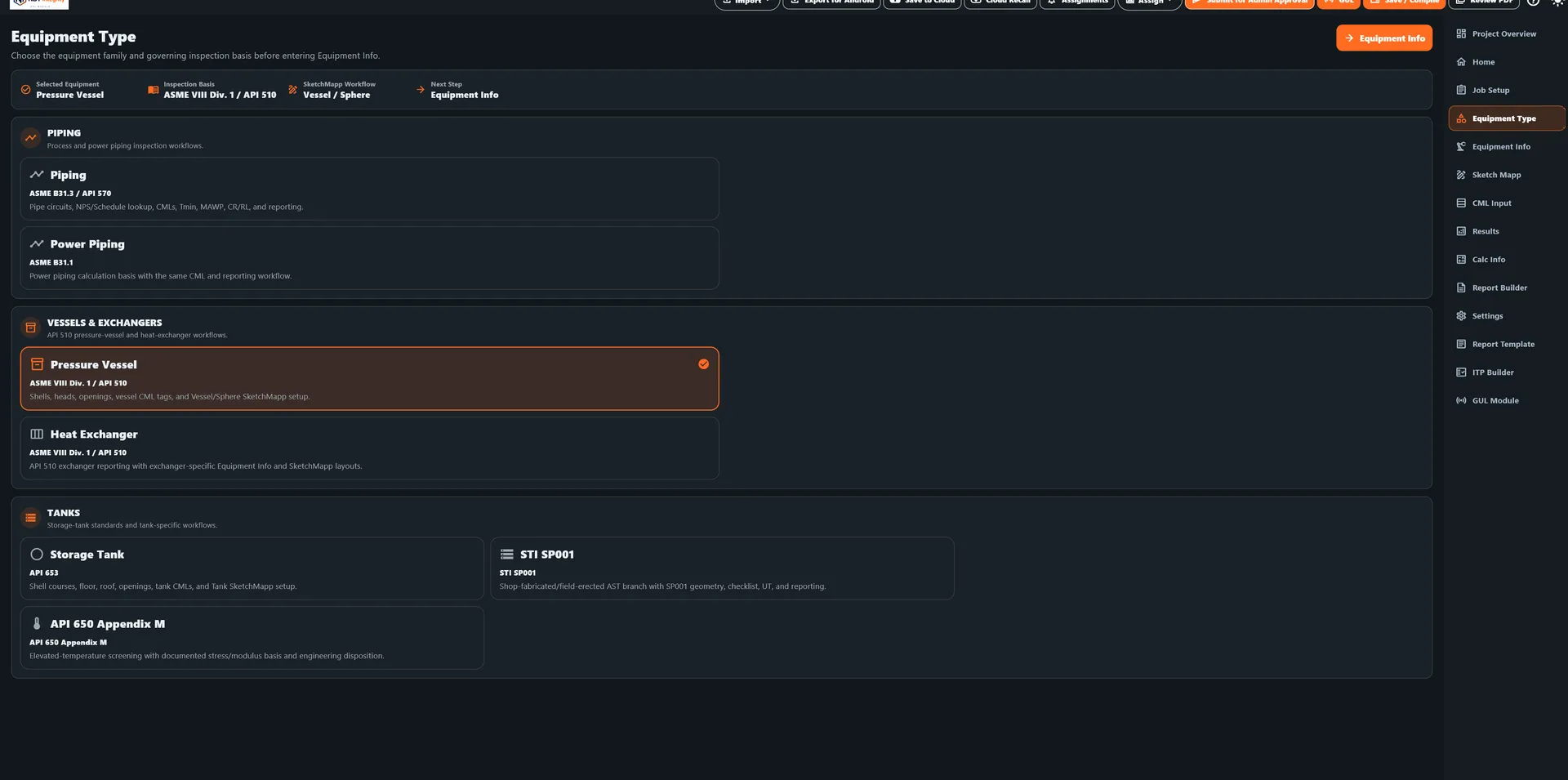
Equipment Type screen with Pressure Vessel selected among vessel, piping, exchanger, and tank inspection workflows
Pressure vessel equipment setup screen with vessel information, components, and inspection workflow options

02

Piping

API 570 piping inspection

Build piping circuits around the readings, components, sketches, findings, and next-inspection work that make an API 570 package reviewable.

  • Piping circuits
  • CML/TML tracking
  • Thickness history
  • Corrosion calculations
  • Retirement thickness
  • Inspection intervals
  • UT imports
  • Component tracking
  • Digital piping sketches
  • Findings and recommendations
  • Next inspection tracking
  • Final report package
CML table with piping inspection readings, corrosion rate, and remaining life columns
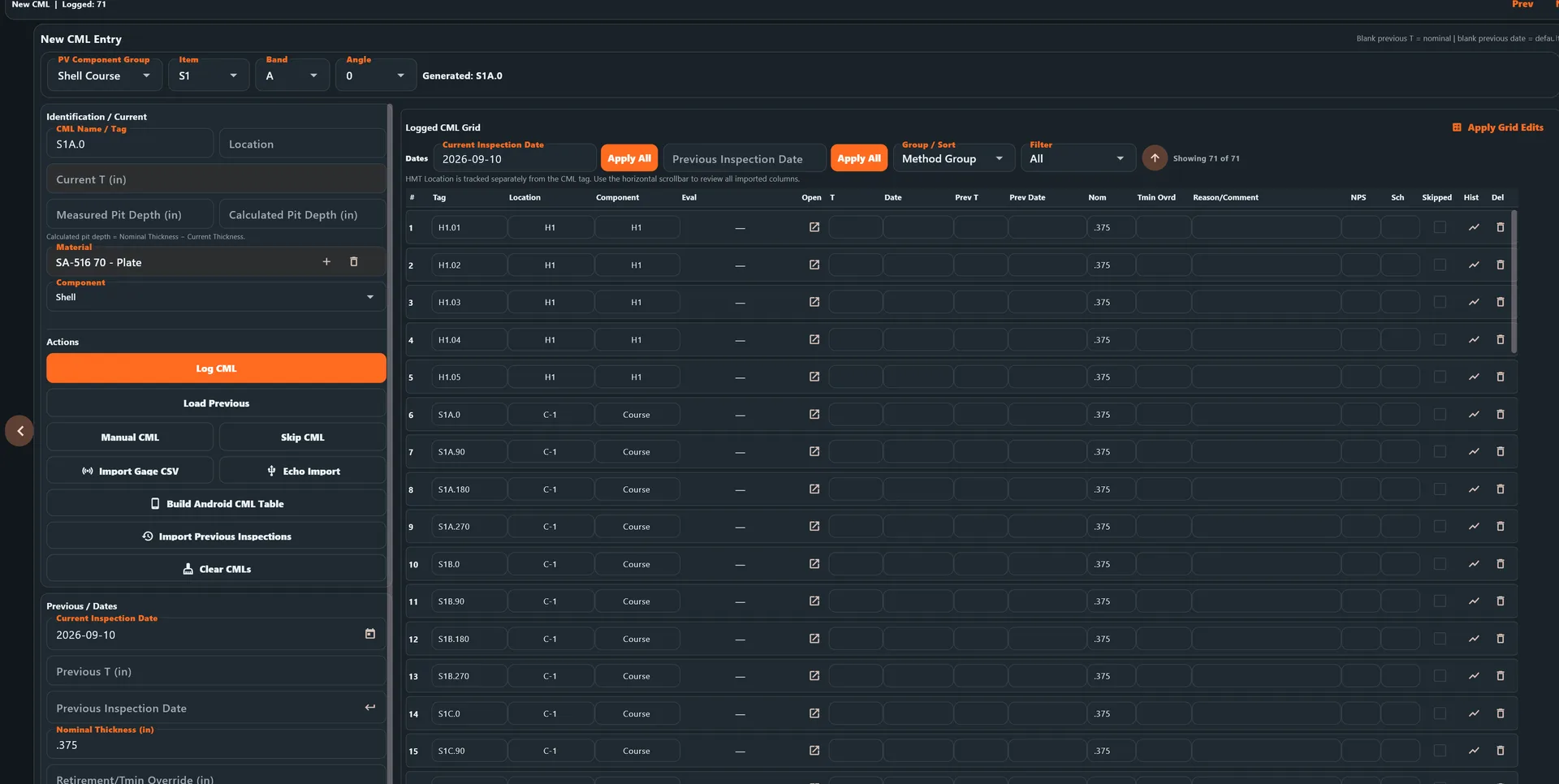
CML Input screen showing logged CML readings with previous and current inspection dates and measurement fields

03

Storage tanks

API 653 tank inspection

Tank integrity is one of the deepest workflows in the software, bringing shell CMLs, bottom evaluation, settlement surveys, drawings, and report generation into the same inspection project.

  • Shell CMLs
  • Roof, floor and bottom inspection
  • Settlement survey
  • Shell settlement
  • Edge settlement
  • Bottom profile
  • Localized settlement
  • Plumbness
  • Corrosion evaluation
  • Tank drawings
  • Shell course documentation
  • Inspection findings
  • Photos
  • Report generation
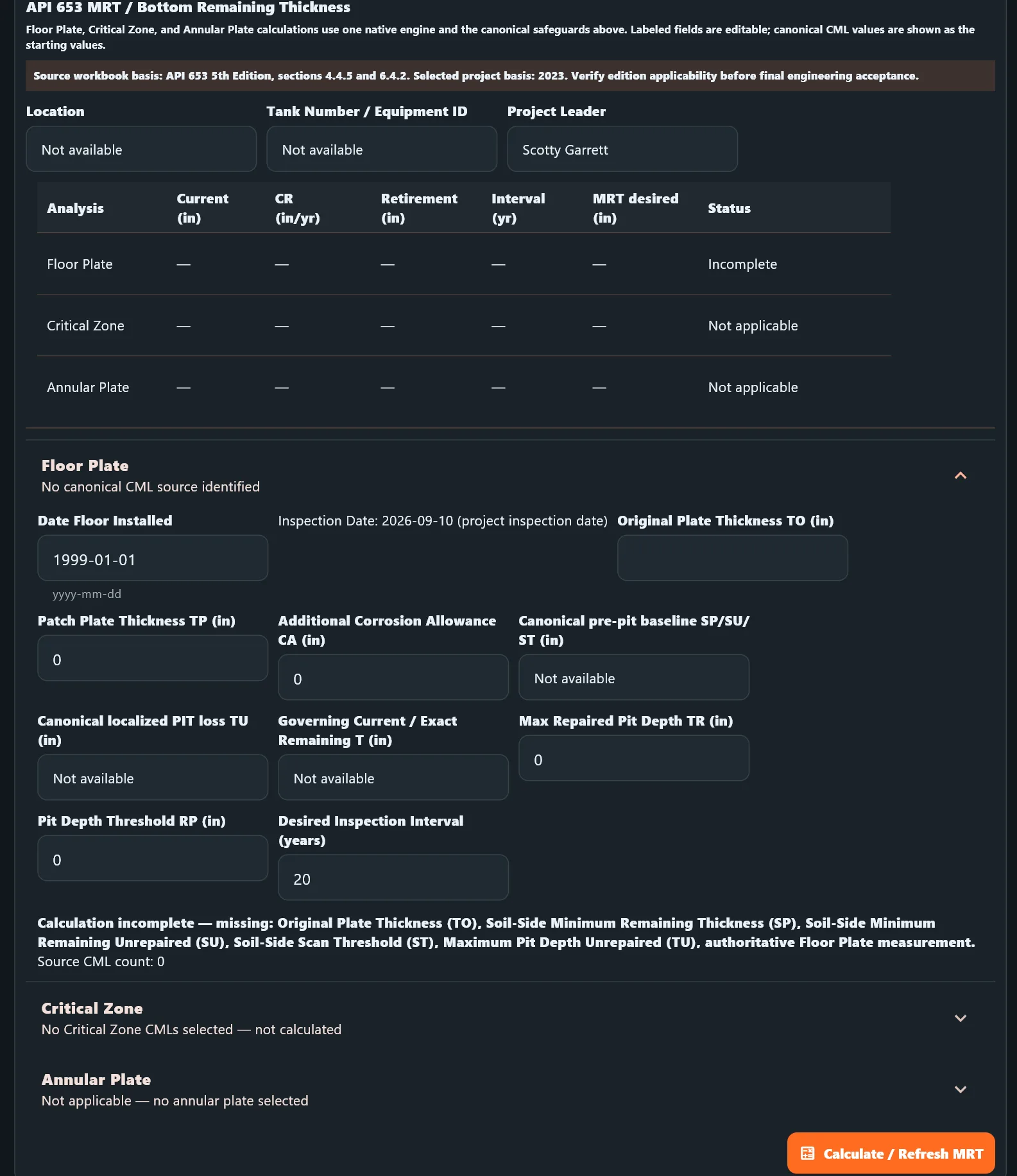
Tank bottom remaining thickness and MRT inspection calculation screen
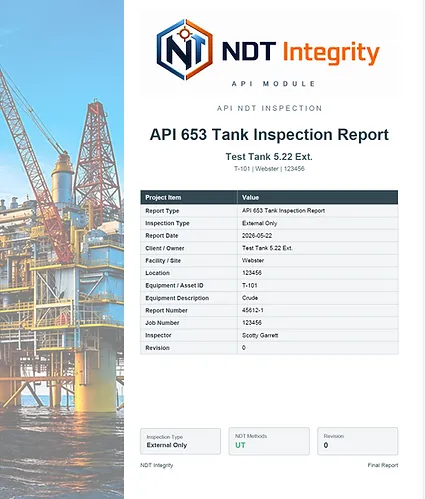
API 653 storage tank inspection report cover
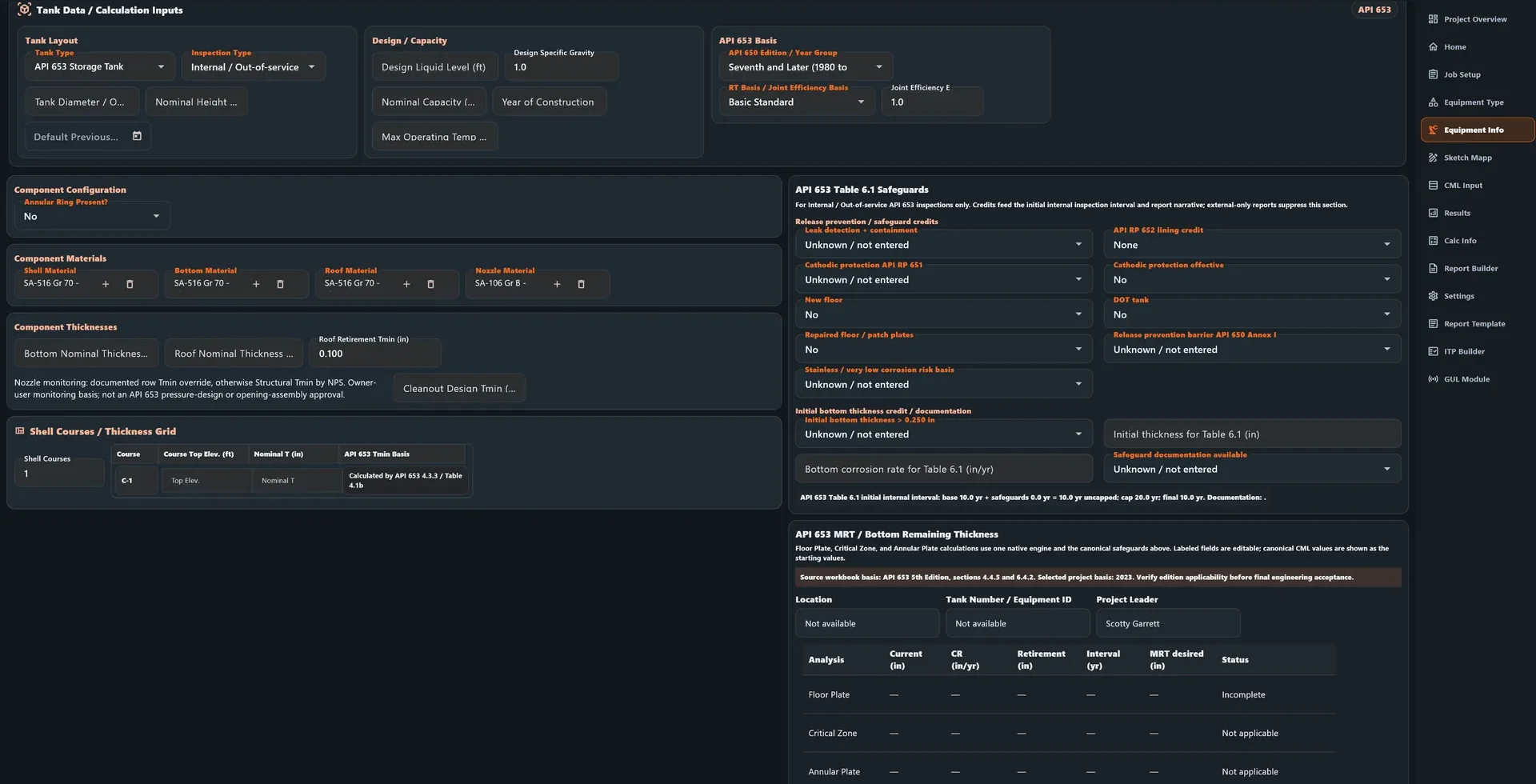
NDT Integrity API 653 tank data and calculation inputs with shell courses, component materials, and Table 6.1 safeguards

04

Heat exchangers

Heat exchanger inspection

Document the exchanger as connected components, with separate logic for the bundle, channel, and bonnet head. Each component carries its own materials, geometry, and mating-component links where supported.

  • Exchanger equipment data
  • Channel and shell side documentation
  • Tube sheet and bundle information where supported
  • CML tracking
  • UT data
  • Corrosion calculations
  • Inspection findings
  • Photos
  • Drawings
  • Recommendations
  • Final report package
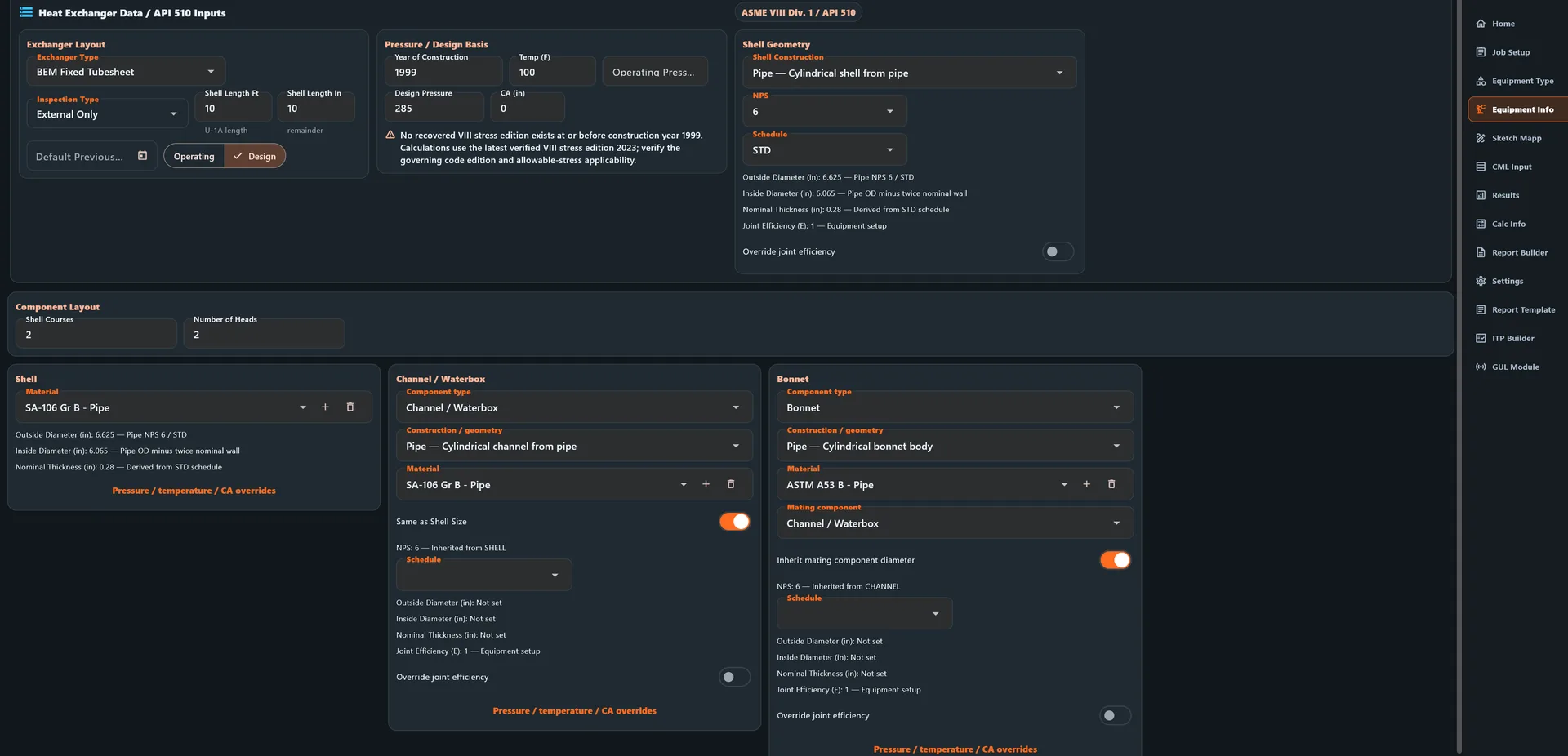
Heat exchanger setup screen showing shell, channel or waterbox, and bonnet components with materials and geometry

05

STI

STI inspection workflow

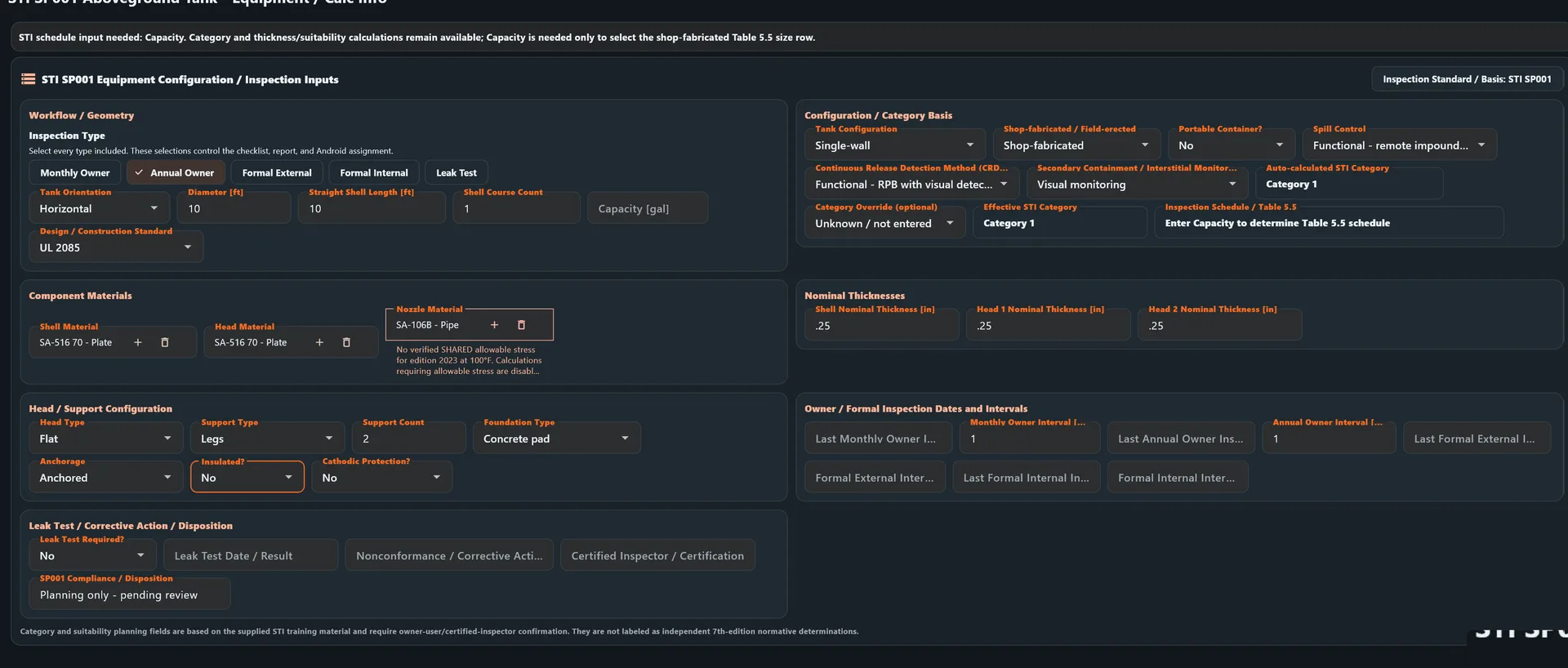
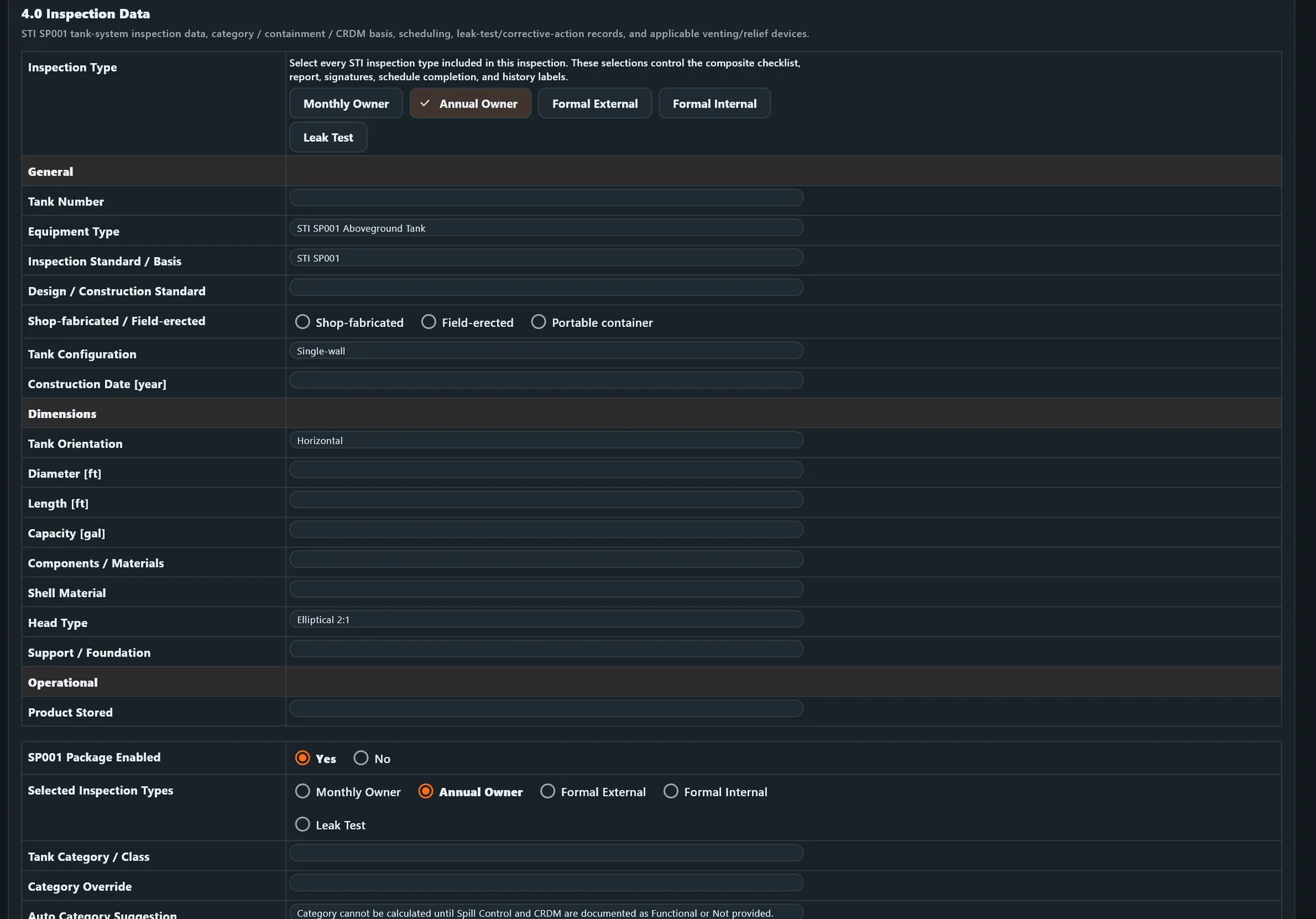
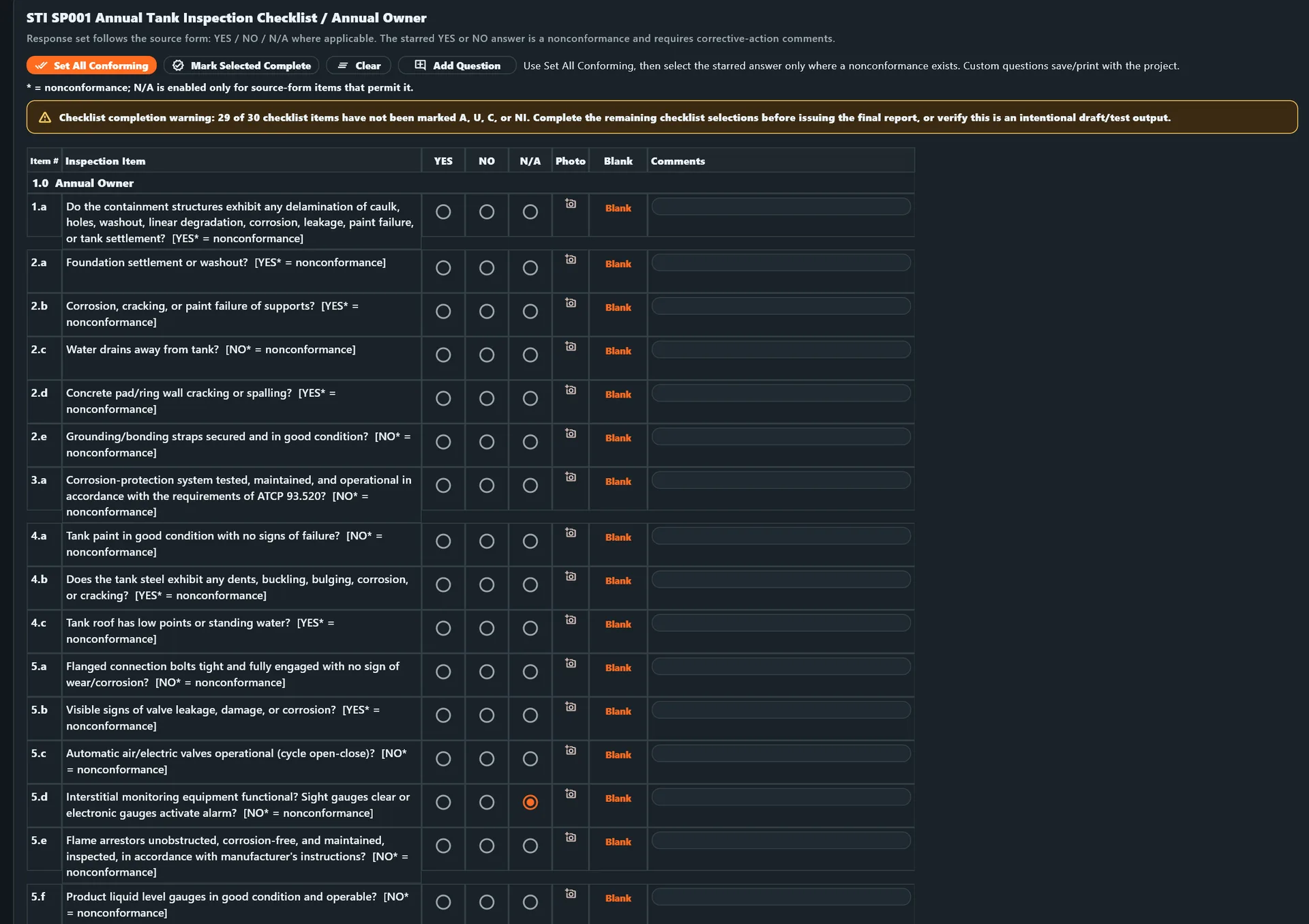
Keep STI inspection setup, checklist responses, thickness readings, and corrective-action context together from assignment through report generation. Inspection types can be combined: Monthly Owner, Annual Owner, Formal External, Formal Internal, and Leak Test. Checklist responses drive nonconformance and corrective-action tracking.

  • STI inspection setup
  • Component and location tracking
  • Inspection results
  • Checklist and visual documentation
  • Thickness readings
  • Findings
  • Photos
  • Recommendations
  • Report generation
  • Windows-to-Android-to-Windows workflow
STI inspection equipment and calculated information setup screen
STI inspection checklist screen with structured responses and documentation fields
STI inspection data screen with checklist results, findings, and follow-up fields

06

Appendix M

Appendix M inspection

Structured inspection and documentation workflows for Appendix M requirements.

  • Required inspection inputs
  • Guided form workflow
  • Inspection findings
  • Calculations where applicable
  • Supporting documentation
  • Photos
  • Attachments
  • Final report package

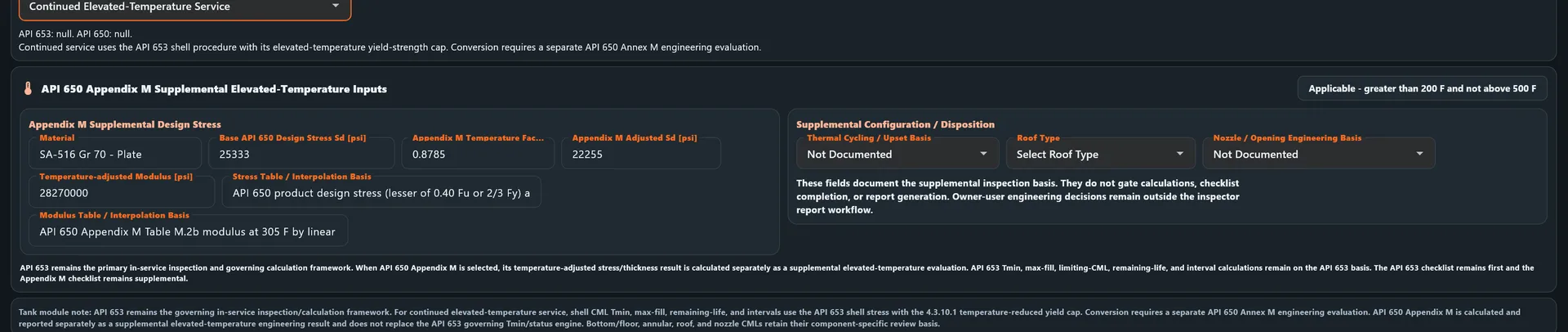
API 650 Appendix M is a supplemental elevated-temperature evaluation calculated and reported separately; API 653 remains the governing inspection and calculation framework. Owner-user engineering decisions remain outside the inspector report workflow, and the workflow does not determine compliance.

API 650 Appendix M supplemental elevated-temperature inspection workflow screen

07

Standard NDE

Standard NDE reporting

Teams do not need to be running a full API inspection program to use the software. Build standalone NDE reports with the same disciplined evidence and documentation workflow.

  • UT / MT / PT / RT / AUT / SRUT / MFL
  • Visual inspection
  • Technique sheets
  • Calibration documentation
  • Inspector certifications
  • Photos
  • Attachments
  • Standalone NDE reports
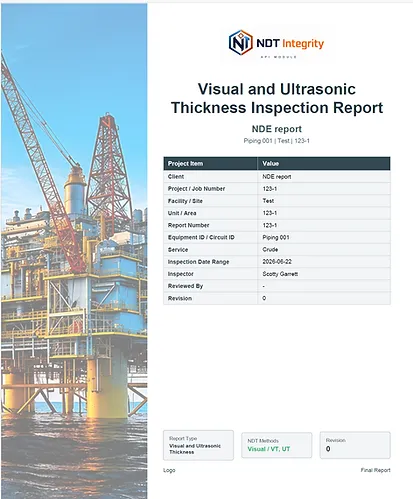
NDE visual and ultrasonic thickness inspection report page

08

CML / TML management

One CML workflow across equipment types

CML management is the common backbone behind vessels, piping, tanks, and exchangers. Compare current readings against historical inspection data to identify thickness changes and support corrosion-rate trending.

  • Creation
  • Historical readings
  • Current readings
  • Imports
  • Trending
  • Material and component data
  • Minimum thickness
  • Status
  • Next inspection
  • Android field capture
CML entry table showing CML ID, previous, current, nominal, minimum, corrosion rate, and remaining life columns

09

Field-to-office

Windows → Android → Windows

Assign inspection work in the Windows application, collect field readings and inspection information on Android, and return the completed data to the office project for review, calculations, and reporting.

  • Assign projects and equipment to field work
  • Export a focused inspection assignment
  • Collect readings and checklist information on Android
  • Return completed work to the Windows project
  • Review, calculate, and report from the office record

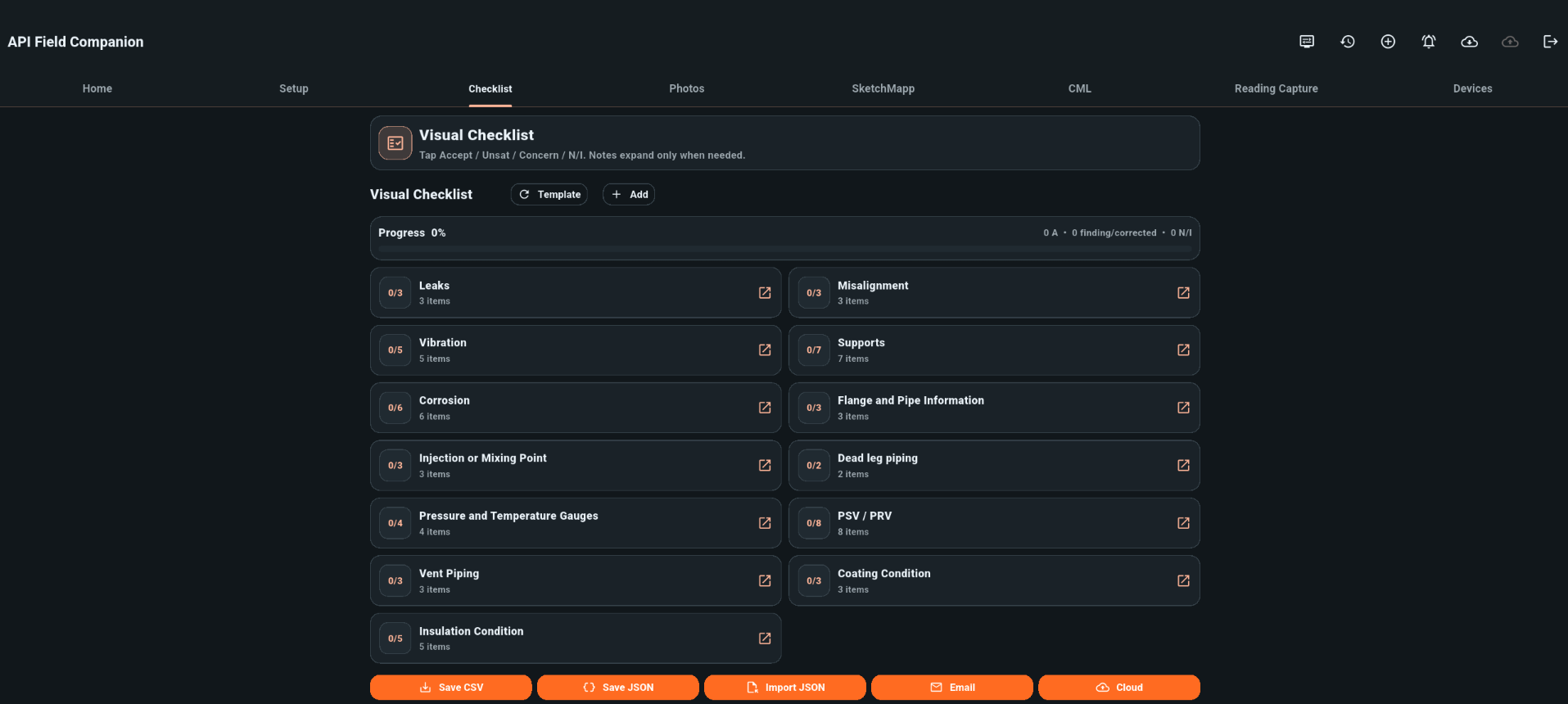
Collect

API Field Companion tablet checklist screen for collecting inspection information

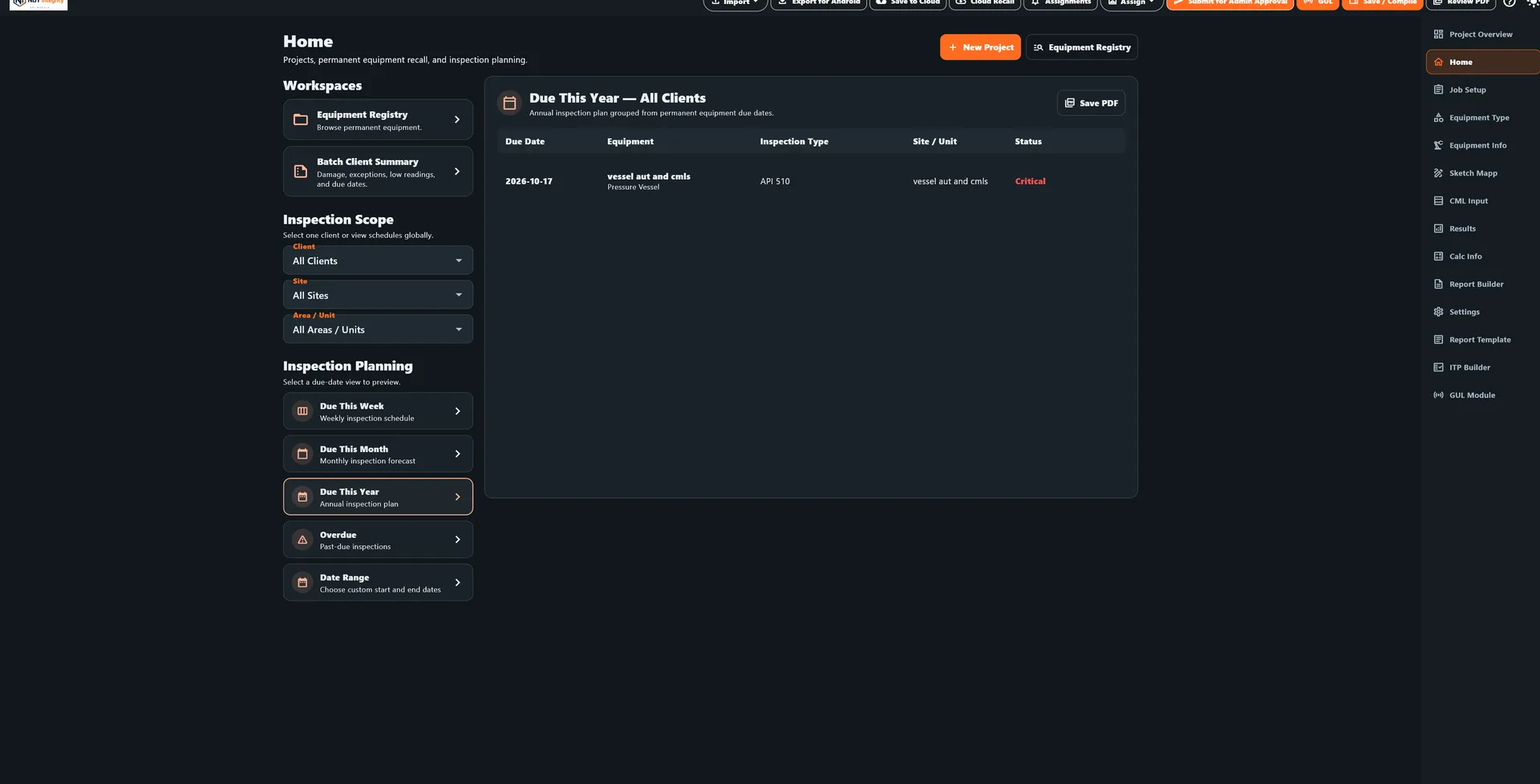
Return

Returned Windows project with equipment registry ready for review and reporting

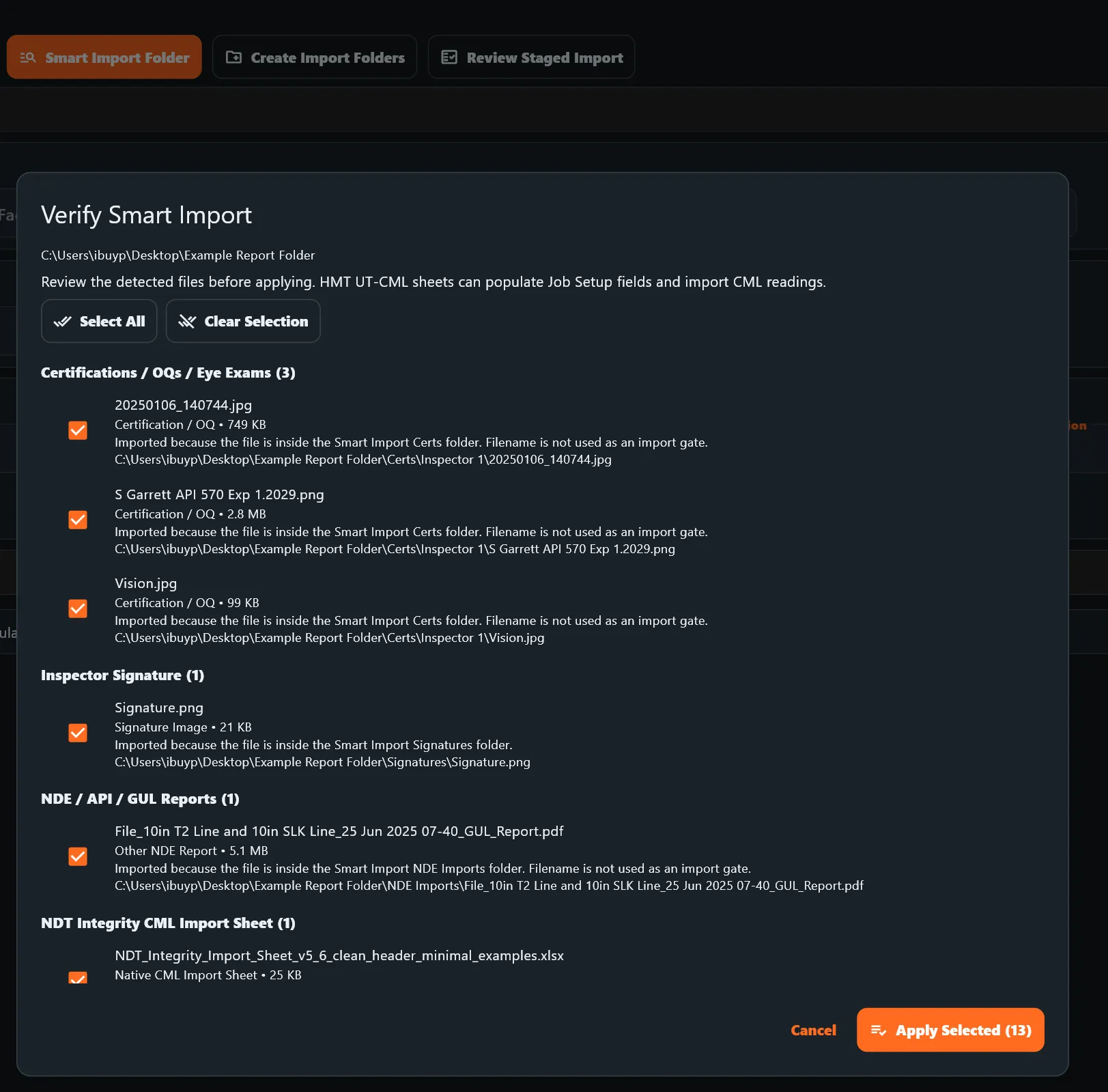
SMART IMPORT

TURN EXISTING DATA INTO USABLE INSPECTION RECORDS

Smart Import helps bring existing inspection data into NDT Integrity without rebuilding the job by hand.

  • Import structured inspection data from Excel or CSV
  • Map incoming columns to NDT Integrity fields
  • Review matches before import
  • Update existing records or add new data
  • Preserve traceability between imported data and the project
  • Reduce repetitive manual entry

FASTER IMPORT. LESS REWORK. CLEANER DATA.

Verify Smart Import screen showing grouped files, mapped inspection records, and review before applying imported data

10

Report package

From inspection data to final report

All inspection types share one reporting backbone. Inspection results, calculations, drawings, photographs, technique documentation, inspector information, attachments, and equipment history can be assembled into a structured final inspection package.

  • Company-branded cover
  • Inspection results
  • Calculations
  • Drawings
  • Findings
  • Recommendations
  • Photos
  • Technique sheets
  • Calibration records
  • Inspector certifications
  • Attachments
  • Final PDF
Company-branded API inspection report cover

Connected inspection workflows

From field evidence to a finished deliverable.

Connect inspection data, calculations, drawings, photos, field documentation, and reporting in one connected inspection workflow.

Request a Demo